About PNG to AVIF
How to Convert PNG to AVIF
Five steps turn PNG files into smaller AVIF images.
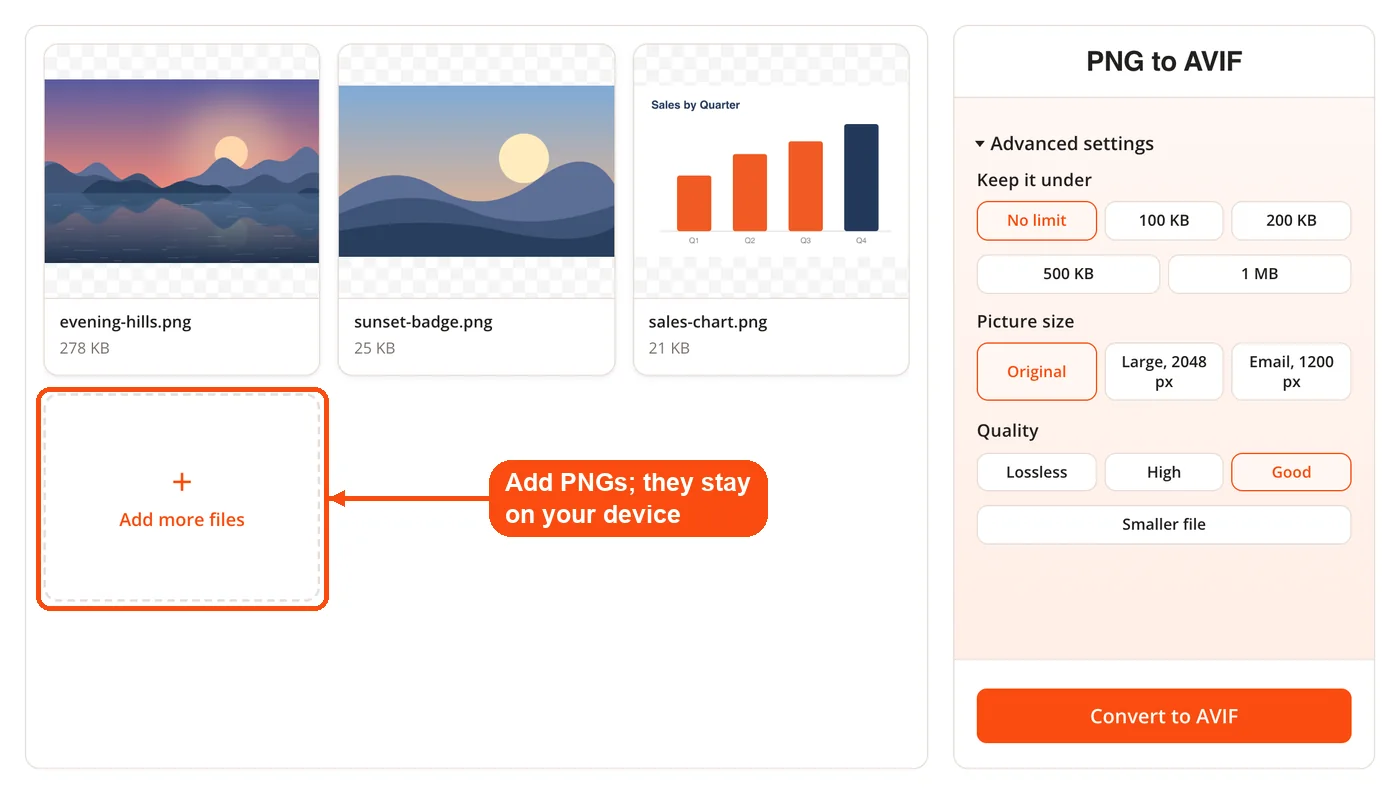
- Add your PNGs. Drop one or more PNG files on the page or choose them from your device. They are converted in your browser and never uploaded.
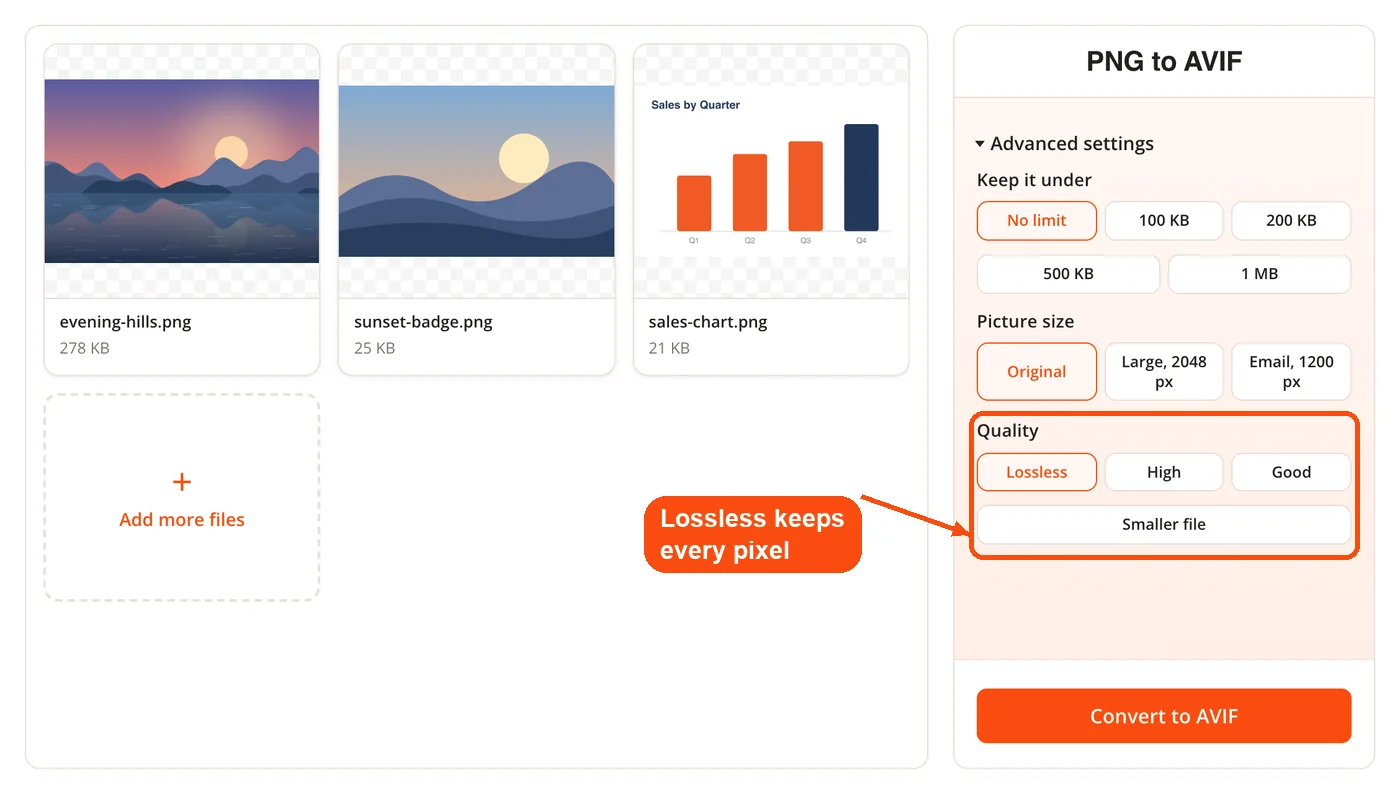
- Pick the quality. Choose Lossless to keep every pixel exactly, or High, Good or Smaller file for a lighter file. Good is the default.
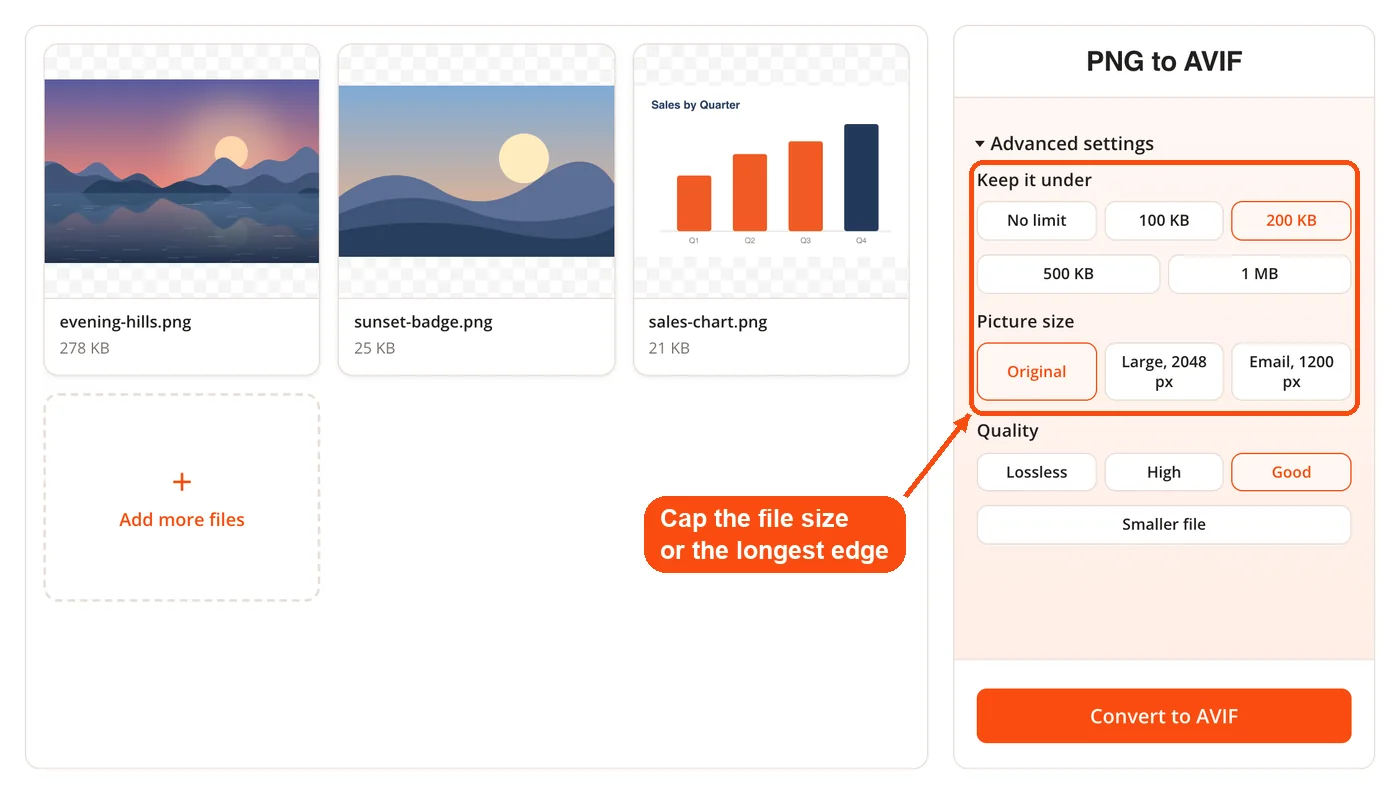
- Set limits if you need them. Under Advanced settings, Keep it under caps each file at 100 KB, 200 KB, 500 KB or 1 MB, and Picture size can shrink the longest edge to 2048 or 1200 pixels.
- Convert. Press Convert to AVIF. Each image is encoded in your browser, with progress shown in the panel.
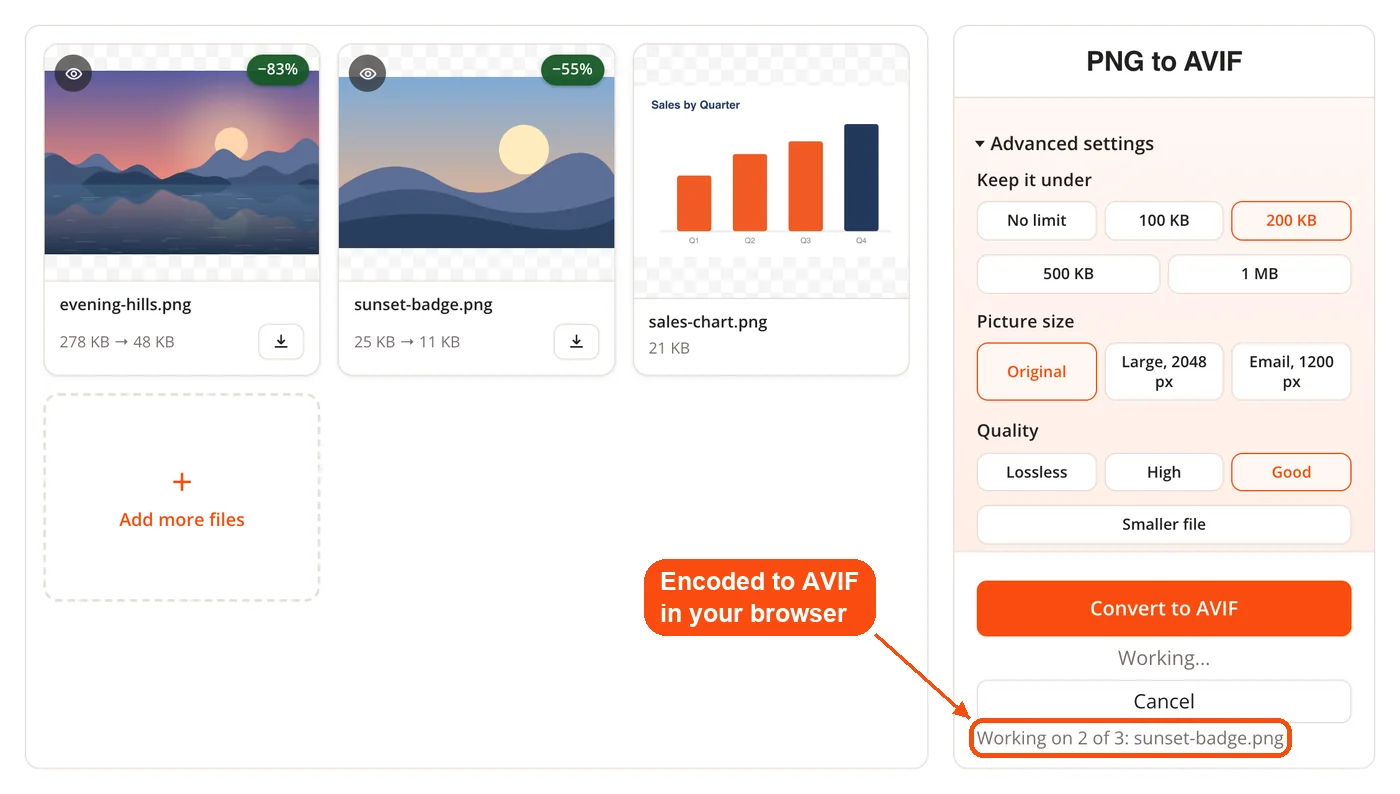
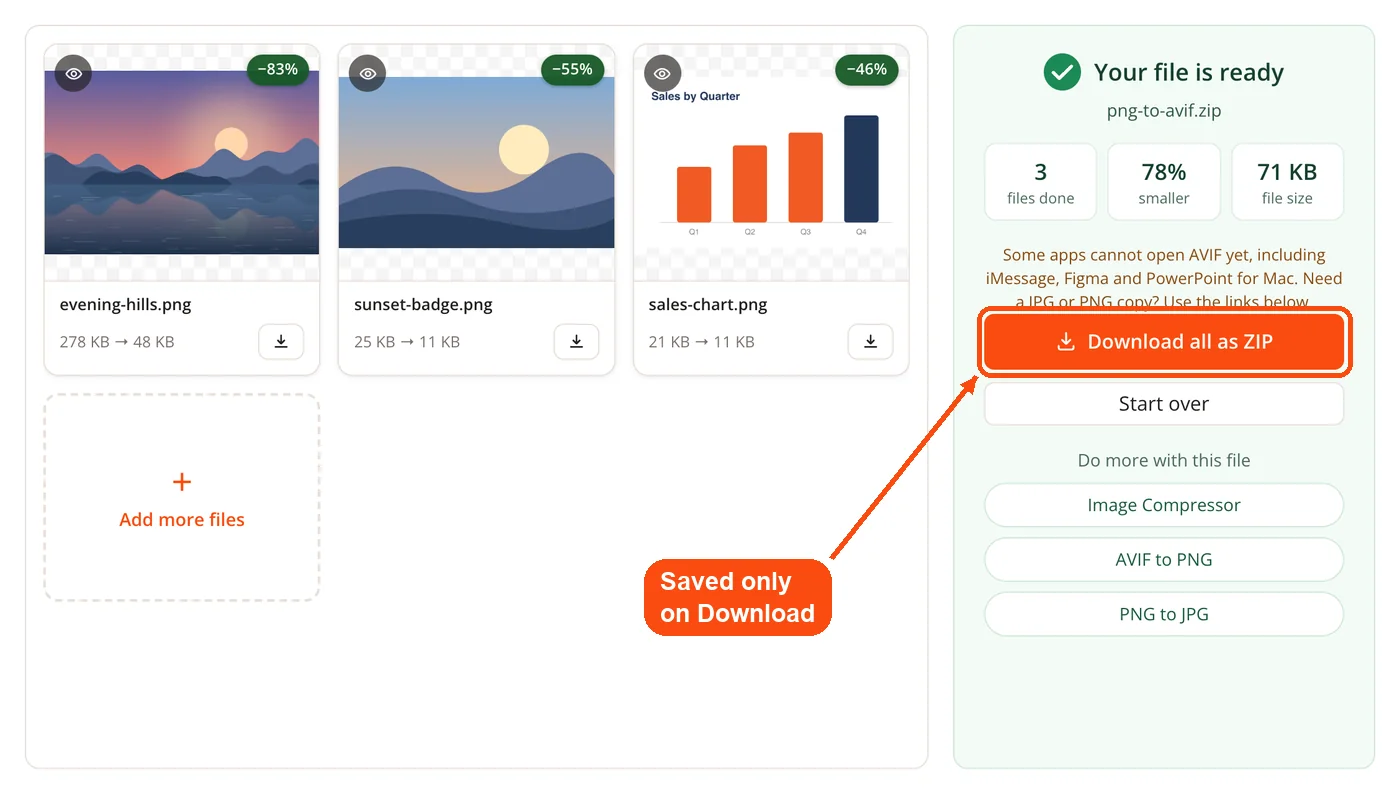
- Download. Each card shows how much smaller its file became, and several files come as one ZIP when you click Download. Some apps cannot open AVIF yet, so the result panel links to AVIF to PNG and PNG to JPG for a copy in another format.